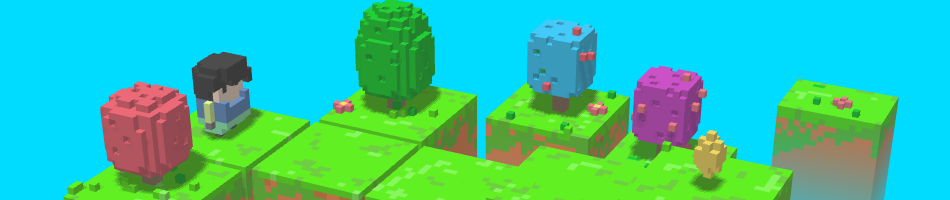
YOUR NEXT LOOK STARTS HERE

Upgrade Your
Minecraft Skin.

Your skin, but better.

Turn flat pixels into something extraordinary. Add rich shading, create 3D characters, and bring your ideas to life with BlockSkin Studio.

In your browser · No software to install

THE ONE-CLICK UPGRADE
Steve with enhanced shading and detailed pixel textures Original Steve skin before the shading upgrade BEFORE AFTER
↔   Drag to see the differenceONE-CLICK POLISH
A little polish. A big difference.Shading + texture + depth
BUILT FOR YOUR BLOCK WORLD Java & Bedrock skins Steve & Alex models High-res 3D renders Browser-based tools

ONE STUDIO. ENDLESS POSSIBILITIES.

Everything your skin could be.

From a quick upgrade to a whole new character. Find your creative starting point.

LESS FRICTION. MORE CREATION.

Your next skin.
Three simple steps.

No complex software. Just your ideas and a little help from BlockSkin Studio.

Let’s make something (opens in a new tab)
  1. 01

    Bring your idea

    Open BlockSkin Studio and upload a skin PNG or a reference image for your chosen tool.

  2. 02

    Make it extraordinary

    Apply one-click polish, generate a character, or explore a new style. Fine-tune the details you love.

  3. 03

    Preview, download, share

    Review your result and export the format available in your tool, from a skin PNG to a character render.

PLAYER PERSPECTIVES

Made for the way you create.

Player stories featured on BlockSkin Studio.

I needed uniform skins for my server NPCs. BlockSkin Studio upgraded them all in minutes. The shading looks incredible!
Alex ChenServer Admin
BUILD
BlockSkin Studio changed everything for my thumbnails. I just upload my skin, get a 3D render pose, and it's ready for YouTube.
Sarah JenkinsYouTuber
CREATE
My skin looked so flat compared to others. BlockSkin Studio gave it that textured, pro look without me needing to learn Photoshop.
Miguel RodriguezPvP Player
PLAY

GOOD TO KNOW

A few questions
before you create.

Everything you need to find your starting point.

Visit BlockSkin Studio (opens in a new tab)
What is BlockSkin Studio?

BlockSkin Studio is an online Minecraft skin maker, generator, and editor. You can enhance existing skins with shading and texture, create character ideas from reference images, and explore 3D renders.

How do I start creating?

Click any “Start Creating” or tool link on this page. BlockSkin Studio opens in a new tab, where you can choose a tool, upload your source, and follow the creation workflow.

Do the skins work with Java and Bedrock?

Standard Minecraft skin PNGs can be used with Java and Bedrock editions. AI-generated character images and 3D renders are visual concepts; they are not automatically playable skin files. Check the selected tool’s export format before downloading.

Are both Steve and Alex models supported?

Yes. The skin tools support classic Steve models with 4-pixel arms and slim Alex models with 3-pixel arms. Use the model controls on BlockSkin Studio to choose the right fit.

Can I create a skin idea from an image?

Yes. Use a reference image to generate a Minecraft-style character or skin draft. The 2D-to-3D and Sketch to Parts workflows provide more ways to develop your concept.

Do I need to install anything, and is it free?

The studio runs in your browser, so no desktop installation is needed. Account requirements, free features, AI credits, and current pricing are shown on BlockSkin Studio when you choose a tool.

SAME YOU. A WHOLE NEW LOOK.

Make your next great skin.

A fresh idea, a favorite character, or a skin that needs a little love.
Bring it to BlockSkin Studio and see what’s possible.

Start Creating (opens in a new tab)Continue on blockskinstudio.com ↗